Mini Cart Builder
Mini Cart is a powerful feature for WooCommerce shop sites. It allows customers to instantly view and manage items they've added to their cart—without leaving the current page.
The BricksUltimate add-on introduces a dedicated element called "Mini Cart Builder", which brings full flexibility to design and control your mini cart layout directly within the Bricks Builder interface.
Key Benefits:
- Fully customizable mini cart layout using Bricks.
- Drag-and-drop controls within the Bricks Builder.
- Live preview while editing.
- Display cart items, subtotals, checkout buttons, or even upsell/cross-sell content.
Your Structure Panel May Look Like This:

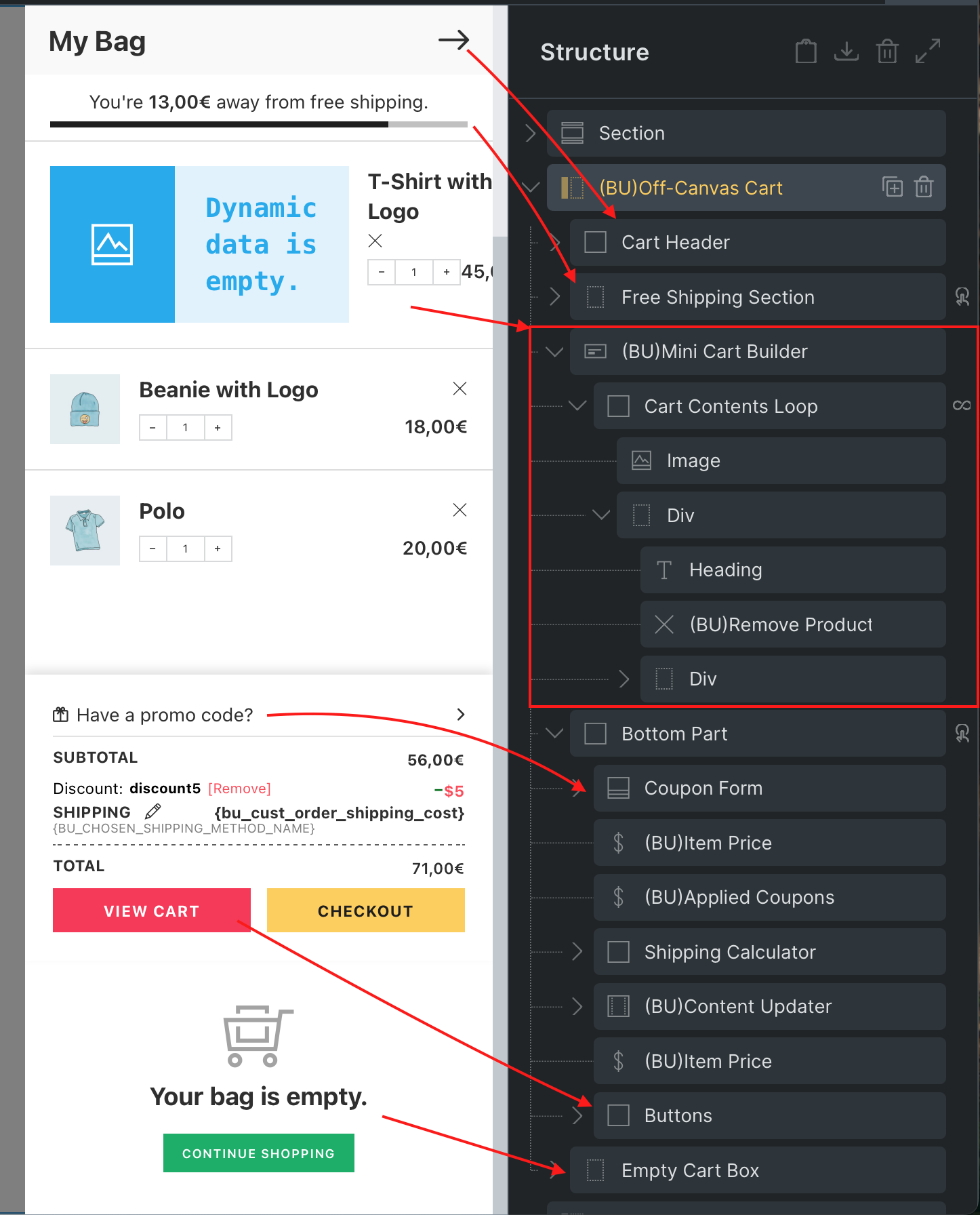
You have full control over each of these elements, allowing you to style, rearrange, or even conditionally display them. All of this happens inside the Bricks visual editor—no extra coding required.
A lot of ways you can use this mini cart builder:
- Inside the Cart Counter element’s popup.
- Inside the Off-Canvas element and create the off-canvas cart section on your shop site.
- With it, you create a custom cart page.
- Create the product summary list on the checkout page.
User Guide
We already shared the JSON file of the Mini Cart Builder template. If you import this template, you can understand the full setup of this feature. Download the JSON zip file and extract it on your computer. Now go to your Dashboard -> Bricks -> Templates -> Import Templateand import the mini-cart builder template.
Now check the settings of the every elements, interactions and it's structure.
Reminder: You should always use the Mini Cart Contents loop provider for the Mini Cart Builder.