Buy Now

Buy Button on Single Product Page
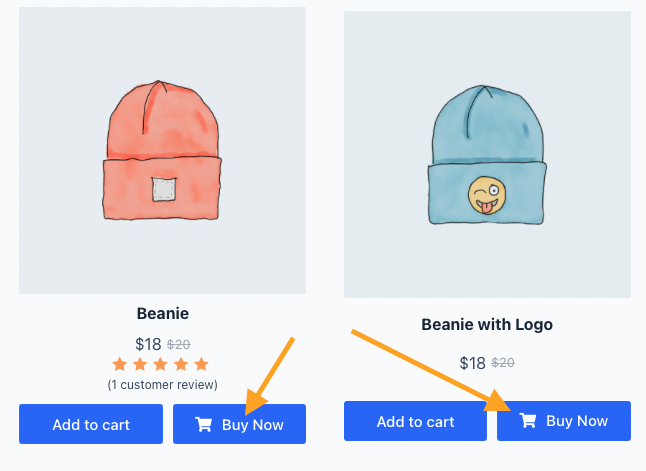
Buy Now Button in Product listing page
The Buy Now element empowers you to add a quick buy button and redirect users to the checkout page or any custom page for a quick purchase. You can put this button inside the product card layout or single product page.
Two ways you can add the buy now button on your site. One is the individual Buy Now Button element and another is the buy now feature of the Add To Cart element.
Tips & Tricks:
When using the Buy Now feature of the Add To Cart element, ensure that the AJAX action for the Add To Cart element is disabled. Enabling both simultaneously may cause conflicts or unexpected behavior.
Controls Details of the Buy Now Element
- Keep Cart Items: Yes or No. The Default value is no.
- Using Inside the Product Loop: Set the value “Yes” if you are using the query loop. Set “No” if you are using it on the single product page. The default value is no.
- Disable button for selected products: If you do not want to use this button on some specific product page, you will enter the product IDs with a comma(,) separator like 23, 124, 12.
- Disable button for product type: WooCommerce has some product types: simple, variable, grouped, and external. You can also hide this button for the specific product type. Example: Enter something like grouped, variable into the input field.
- Icons: You can add the custom icon to the button.
- Button styles: You can customize the button design as per your site layout.