The Buy Now element empowers you to add a quick buy button and redirect users to the checkout page or any custom link for a quick purchase. You can put this button inside the product card layout or single product page.

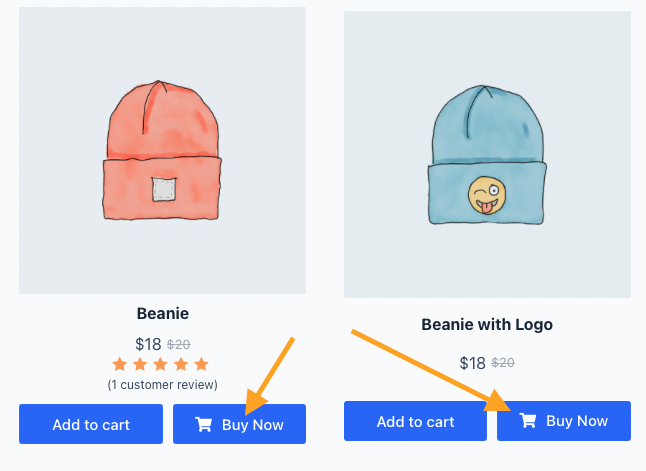
Minimum Requirements
Make sure that you already installed and activated the following plugin on your site:
- WooCommerce Plugin
- Bricks Builder
Activate The Element
At first, you will activate the Buy Now element from your Dashboard -> Bricks -> BricksUltimate page. Under the Woo Elements tab, you will get all WooCommerce-related elements. Select the Buy Now element among them and save the settings. Now element is activated and ready to use.
How to Use
Open the Bricks Builder editor and search the “Buy Now” element. Add this element in the appropriate position, setting the element’s options and it will be ready for use.
Special Options
- Keep Cart Items: Yes or No. The Default value is no.
- Using Inside the Product Loop: Set the value “Yes” if you are using the query loop. Set “No” if you are using it on the single product page. The default value is no.
- Disable button for selected products: If you do not want to use this button on some specific product page, you will enter the product IDs with a comma(,) separator like 23, 124,12.
- Disable button for product type: WooCommerce has some product types: simple, variable, grouped, and external. You can also hide this button for the specific product type. Example: Enter something like this grouped, variable into the input field.
- Icons: You can add the custom icon to the button.
- Button styles: You can customize the button design as per your site layout.


