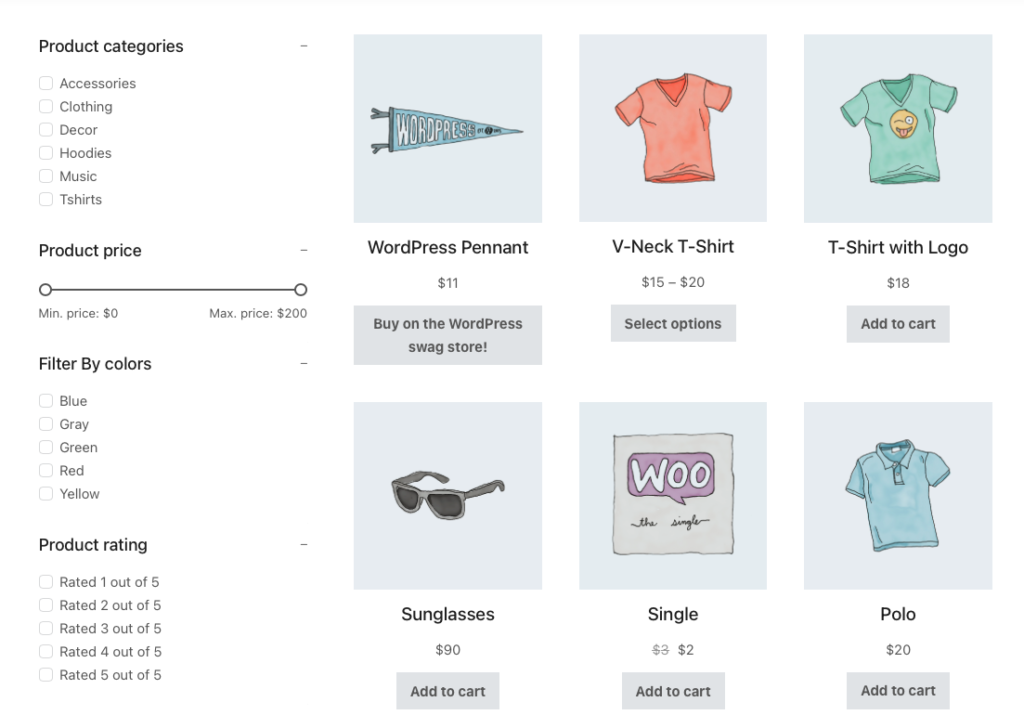
The Bricks Builder has an inbuilt product filter element which is perfectly working with the products element. But it is not working with Query Loop builder if you make the products list for shop, archive and search result pages with Query Loop.
Why we are using the Query Loop instead of the Products element? Because Query Loop builder is adding more flexibility and we can customize every element quickly.
Let’s drive into the settings.
I built a template from Dashboard -> Bricks -> Templates and set the condition for the shop, archive and search result page.[edd_restrict id=”12,14,2474″ message=”If you want to view the rest of the content, you need to buy the BricksUltimate add-on. Users of the BricksUltimate will view this content after login.”]
Step 1: Setting the Query Loop builder. I did a basic setup. You can change it as per your requirement.
a) Enable the “Use Query Loop” option
b) Click on “Query” control and open the popup
c) Select type = “Posts’, Post Type = “Products”, and other parts

Step 2: Add the nested element like Post Title, Image with dynamic tag “featured image”, price, add to cart button, pagination, etc. Here is my structure panel:

Step 3: Now add the Product FIlter element on the left side. I added the following filters:

Step 4: The shop layout is done and publishes the templates.
Go to the frontend and browse the shop page. You can see that the filters are not working. We need another small trick for it. We shall change the default query args with custom PHP code.
The Bricks Builder added a filter bricks/posts/query_vars for query args and we shall target it. Here is the code which I added to the functions.php file of the Bricks child theme.
add_filter( 'bricks/posts/query_vars', 'bu_do_product_filter', 12, 3 );
function bu_do_product_filter( $query_vars, $settings, $element_id ) {
	/**
	 * pilbnn is my query loop builder's container ID.
	 * You will change it with yours one
	 *
	 * So this code will not apply to entire site
	 */
	if( $element_id == 'pilbnn' ) {

		$new_vars = \Bricks\Woocommerce_Helpers::filters_query_args( $settings );

		return array_merge( $new_vars, $query_vars );
	}

	return $query_vars;
}
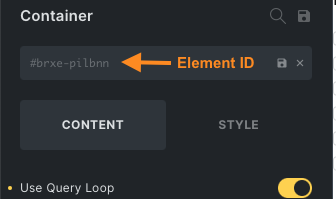
Look at the IF statement line if( $element_id == ‘pilbnn’ ) { . I want that this code will only work for the shop and product archive pages(not for the entire site). Here ‘pilbnn’ is my query loop builder container element’s ID. You will change it with your container ID. You will get it from the bricks editor. Select your container element and check the settings in the left panel.
Now go to the frontend, refresh the shop page, and check the functionality of the filter.
[/edd_restrict]


