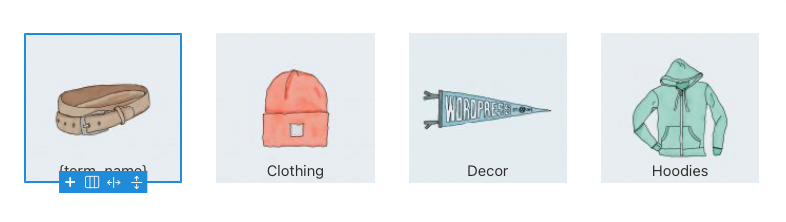
You make a terms list with the terms query loop builder and want to add the featured image of the latest post to the container background. In this tutorial, I shall show how you will fetch the featured image of the latest post of a term and add it to the container background.
Open the functions.php file of the Bricks child theme or you can put the code into the 3rd party plugin. I make a function get_term_post_featured_image_url (which is returning the image URL) and will use it inside the “echo” dynamic tag.[edd_restrict id=”12,14″ message=”If you want to view the rest of the content, you need to buy the BricksUltimate add-on. Users of the BricksUltimate will view this content after login.”]
function get_term_post_featured_image_url( $size = 'full' ) {
	$object = \Bricks\Query::get_loop_object();

	// Is tax archive?
	if ( empty( $object ) && is_tax() ) {
		$object = get_queried_object();
	}

	$args = [
		'post_type' 			=> get_taxonomy( $object->taxonomy )->object_type[0],
		'post_status' 		=> 'publish',
		'posts_per_page' 	=> 1,
		'nopaging' 				=> true,
		'tax_query' 			=> [
			'operator' => 'AND',
			[
				'taxonomy' 	=> $object->taxonomy,
				'field'   	=> 'slug',
				'terms' 		=> $object->slug
			]
		]
	];

	$posts = new \WP_Query( $args );
	if( $posts->have_posts() ) {
		while( $posts->have_posts() ) {
			$posts->the_post();

			$image = wp_get_attachment_image_url( get_post_thumbnail_id( get_the_ID() ), $size );
		}
	} else {
		$image = ''; // you can add the fallback image id here
	}

	wp_reset_query();

	return $image;
}
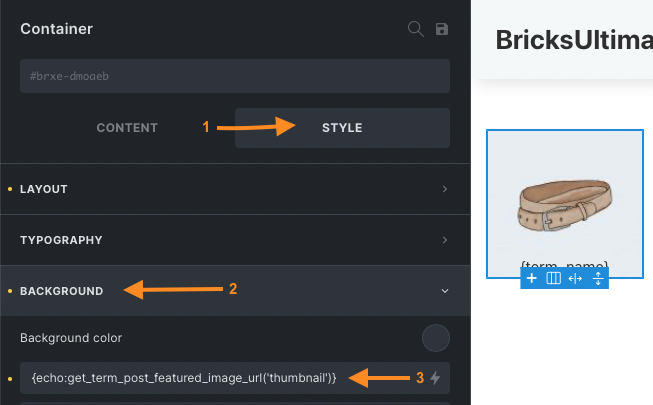
[/edd_restrict]After adding the code, you will open your page on the builder editor and select your terms loop builder element(where you are making the terms list). Click on the Style -> Background section. Set the background image with the following dynamic tag:
{echo:get_term_post_featured_image_url}